 Felix Laurent
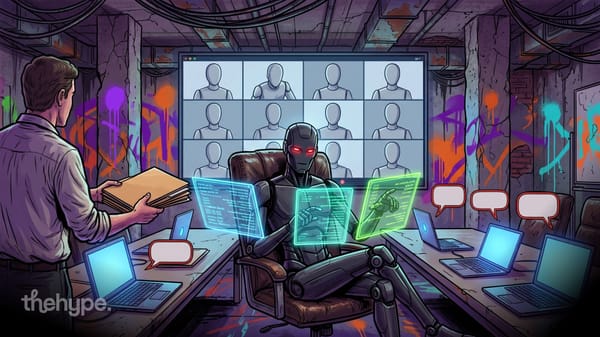
Grok Bot 1.0 turns the Grok AI assistant into a shared teammate for a whole company. The app version with the new features shipped on November 11. Bots can now be shared across a team, work inside Slack and Microsoft Teams, and join video calls on Google Meet, Zoom and Microsoft Teams.
SpaceX Super Intelligence, the SpaceX AI company that grew out of xAI, announced the release on X on November 11 with a launch video. The same day, version 1.0.1 appeared in the app's changelog, right after beta builds that ran up to November 6. The company's blog post about Grok Bot 1.0 carries an earlier date, November 2, but the public release came only now. The company calls its Bots "AI teammates that work alongside your whole team".
What Grok Bot 1.0 changes
Grok Bot started as a personal agent that takes over tasks. It can browse the web, write documents and work in connected apps. In October, version 0.70.2 even gave Bots their own email and X Money payments. Version 1.0 adds three big changes, according to the company:
- Shared Bots. One Bot can work with a whole team in Slack, Microsoft Teams and video calls.
- Proactive Bots. A Bot can spot work that needs doing and offer to take it on.
- More capable Bots. They use the browser more reliably, write better documents and slides, and need fewer resources per task.
The shared part builds on Team Bots, which SpaceXSI launched on September 28.
How Team Bots work
A Team Bot is built around a role or workflow that a team shares. The owner gives it context such as files and instructions, plus plugins for apps like Salesforce, Notion and GitHub. Credentials for other APIs and a memory complete the setup. Then the owner shares it with specific people or groups.
The Bot is shared, but each person's chats with it stay private. It learns from everyone it works with. When someone teaches it a better way to do a task, that improvement can help the whole team.
Version 1.0.1 adds a safety step to that learning. Lessons from teammates wait under Review learnings until the owner or a manager approves them. Team admins can also limit who is allowed to share Bots.
In group chats, a Bot follows the discussion, knows who is involved and can add information. SpaceXSI gives an example from a product launch. A Bot notices that new customer research points to a different message, raises it, then works with another Bot to update the campaign materials.
How Grok Bot joins meetings and Microsoft Teams
Meetings are the most visible addition in version 1.0.1. A Bot can join a Google Meet, Zoom or Microsoft Teams call from a link. It answers in the meeting chat and sends a summary afterward. It also brings in facts from earlier conversations and keeps track of decisions.
The Microsoft Teams integration needs three approvals. A team admin turns it on, an owner or manager connects the Bot, and a Teams admin approves it. In Slack, teammates can message the Bot directly or mention it in channels.
The update also lets owners share their own app logins as shared connectors, once a team admin allows it. Custom MCP connectors on a Team Bot are shared with everyone.
Meetings are where Bots start acting on their own initiative.
Grok Bot takes work without being asked
Grok Bot 1.0 can watch ongoing projects and notice when something needs attention. It can prepare materials before a deadline, follow up on unfinished tasks and coordinate with other Bots. When a decision needs human judgment, it brings in the right person.
SpaceXSI says it added safeguards for shared spaces. Bots respect each person's permissions, ask before sensitive actions and check whether information is fine to post in a public channel. They also learn when an action was already approved, to cut down on repeated questions.
Other improvements since the beta include:
- interactive Pages that teams can edit together or ask the Bot to keep updated;
- better links to Gmail, Google Calendar and GitHub;
- new settings and analytics that show how a team uses its Bot.
Together they make the Bot easier to hand real work to, which raises the question of who can get it.
Who can use Grok Bot 1.0
Grok Bot 1.0 is available now as a desktop app for macOS, with Windows and Linux builds also listed in the changelog. Team Bots need a Team or Enterprise plan. Meetings work on Team, Enterprise and Ultra plans, and Enterprise admins must turn them on. In October, SpaceXSI also bundled Grok Bot into a single X subscription together with Grok, Cursor and X Premium.
The company uses Bots internally too. It says Team Bots brief account teams each morning, coordinate engineering projects and answer data questions. It has also published guides on Bots for sales, customer support, data analysis and incident response.
Shared AI teammates are a crowded field now. Perplexity launched its own Teammates a week ago, and a recent study ranked 18 models on teamwork.
How Grok Bot 1.0 compares with other AI teammates
There is no clean way to rank Grok Bot yet. SpaceXSI published no benchmarks with the 1.0 release, and no independent test covers it so far.
Model benchmarks do not help either. Grok Bot picks the model for each task on its own, according to its FAQ. That can be a SpaceXSI model or one from a third-party provider. Users cannot choose the model, and the app does not show which one handled a request. So scores for Grok 4.7 or any other model say little about how the Bot itself performs.
Prices are easier to compare. Individual plans include a set amount of weekly Bot usage:
| Plan | Price per month | Usage |
|---|---|---|
| Premium | $30 | Base weekly usage |
| Super | $100 | 3.5 times Premium |
| Ultra | $200 | 12 times Premium, plus meetings |
Extra usage is billed by token cost. Teams and Enterprise plans add Team Bots, and Enterprise is priced through sales. Rivals such as Perplexity Teammates also sit behind paid business tiers. Until someone tests these products on the same real tasks, buyers will have to run their own trials.
Can Grok Bot 1.0 really work as a teammate
It covers the basics a teammate needs. Grok Bot 1.0 sits where teams already talk, in Slack, Teams and video calls, and it remembers decisions across all of them. The review step for learnings and the admin controls show that SpaceXSI expects companies to worry about what a shared Bot picks up and repeats.
The proactive part is still unproven. Every example of Bots taking initiative comes from SpaceXSI itself, and in meetings a Bot can only write in the chat. The real test is whether busy teams trust a Bot to act without being asked. Teams already paying for Grok can try it now, while others will compare it with Perplexity, Microsoft and Google before betting on one AI teammate.
Sources
- Introducing Grok Bot 1.0, Grok Bot on X – November 11, 2026
- Introducing Grok Bot 1.0, SpaceXSI – November 2, 2026
- Grok Bot changelog, version 1.0.1, SpaceXSI – November 11, 2026
- Team Bots: shared AI teammates that learn as they work, SpaceXSI – September 28, 2026
- Shared Bots, Grok Bot documentation
- Grok Bot FAQ, Grok Bot documentation
- Grok Bot plans and pricing, SpaceXSI