 Felix Laurent
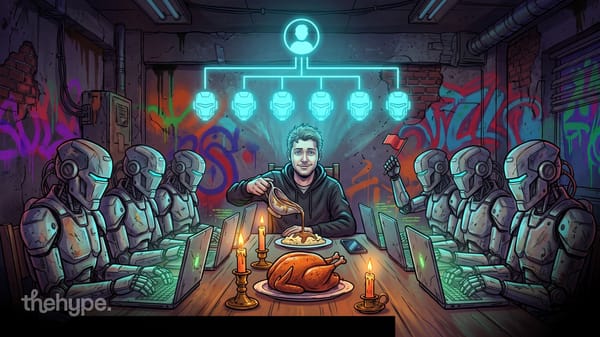
Cognition has added Org Charts to Devin Bots, a single canvas for checking on every AI agent a person runs. The feature went live on November 25, 2026, six days after Devin Bots launched. It puts the user at the top of a chart, with each Bot and its work sessions laid out below.
The update targets a new kind of problem. Starting many coding agents is easy now. Knowing which one is stuck or waiting for an answer is harder.
What Devin Bots are
Devin Bots are always-on versions of Devin, Cognition's AI software engineer. Each Bot has its own name, memory and permissions. Cognition introduced them on November 19.
A Bot gets a whole outcome to own. In Cognition's docs, the example request is "own checkout" rather than a fix for one button. The Bot plans the work and starts a separate Devin session for each piece on its own cloud machine. It keeps each one going until its pull request is ready to merge.
Bots can also act on their own:
- Automations run on a schedule or when something happens in connected tools, such as a morning summary of open pull requests
- Templates give a Bot a ready job, such as a QA engineer, code reviewer or on-call engineer
- Channels let users message a Bot in the web app, on Slack or by text message, or call it
A Bot collects anything it can't handle alone in a "Needs you" list: decisions, pull requests to review and permission requests. With several Bots running, those lists pile up, which is where Org Charts come in.
What Org Charts show
Org Charts are the Canvas view of the All Bots page. The user sits at the top, as a manager would. Each Bot gets a card below with its latest message, its session count and its sessions grouped by folder.
Every session carries one of three statuses:
- Needs you: it waits for an answer or an approval
- Working: Devin is busy in it
- Done: it finished or went idle
Cards fill up to five columns, with the most recent activity first. Each Bot shows its five latest sessions, and empty Bots stay hidden unless the user turns them on. A compact mode fits each session on one line. Two other layouts cover different needs.
List and Gallery views
The List view puts the sessions of all Bots in one column. It can group them by Bot or by status, which gathers everything that needs the user in one place. Sorting options include "Needs you first," most recent, name and number of sessions.
The Gallery view shows one tile per Bot for quick access to its chat. Teammates' shared Bots and archived Bots appear in their own tabs. Filters, sorting and the chosen view are saved to the account.
Cognition pitched the feature with a holiday twist. Its post called Org Charts "the easiest way to check on your bots during a holiday meal," a day before US Thanksgiving. Developers had their own jokes.
How developers reacted
Most replies were playful. One user wrote that bots will be getting performance reviews next. Another said their org chart was "me and six agents" and would fit on a napkin.
The more useful comments were about scale. One developer said running 10 agents is easy now, but knowing which one is quietly stuck is the hard part. Another asked how the canvas would scale to thousands of agents, which Cognition did not answer. Others asked for support for Claude subscriptions.
The launch fits Cognition's fast pace this month. It shipped Devin Review 2.0 for code review on November 5 and its SWE-2.1 model on November 25. Bots are its biggest bet on agents that work without constant prompts. Cost becomes the next question for anyone running a full org chart.
What Devin Bots cost
A Bot's usage counts toward its creator's plan, like any Devin session. That includes its chat and every session it starts. On the Max plan there is no separate Bot limit, and usage draws from the included quota first, then on-demand credits.
Teams and Enterprise plans add controls. Admins can set a dollar cap on a Bot's on-demand spending or give it a separate usage limit. A settings page lists every Bot in the company with its creator, usage and limit. Enterprise admins can also require a person to approve any automation a Bot saves.
Are Org Charts worth using
For anyone running more than a handful of Devin Bots, yes. The "Needs you" status and grouping target the real bottleneck of agent work: the time a person has to check on it. The views cost nothing extra and come with the Bots themselves.
The feature is still a dashboard on top of Bots, and Bots are one week old. The open questions are cost control and scale. Each Bot can start many sessions on its own, so the org chart doubles as a way to see where usage goes. Teams will learn quickly whether a chart of a dozen Bots stays readable.
Sources
- Cognition post on X – November 25, 2026
- All Bots views for Devin Bots, Devin Docs – November 2026
- Devin Bots, Devin Docs – November 2026
- Devin release notes 2026, Cognition – November 19, 2026
- Devin Bot usage limits, Devin Docs – November 2026