 Felix Laurent
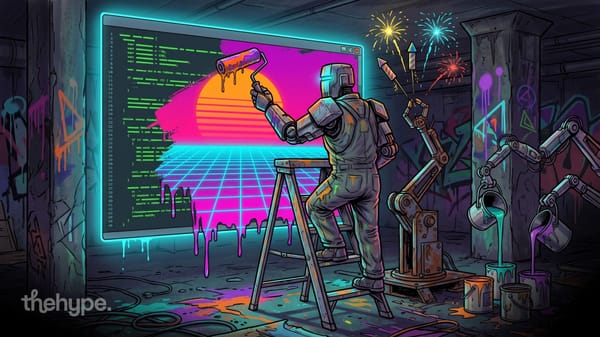
Anthropic added custom themes to Claude Code on desktop on November 13, 2026. A theme can recolor the app's Code tab and put an animated scene behind the conversation. Users can describe the look they want and let Claude build it, or start from an official plugin with twenty ready-made scenes.
Themes are built on mods, the plugin system that lets code run inside Claude Code and change how it looks and behaves. They arrived in a busy week of releases for Claude Code: versions 2.1.321 to 2.1.325 shipped between November 9 and 13. Those releases made Claude Fable 5.2 the default Fable model, added an experimental Code Mode and changed how sandboxed commands ask for permission.
How custom themes work in Claude Code desktop
A theme has two parts, and a mod can set either one or both. The backdrop is an animated scene drawn behind the chat. The colors replace the Code tab's palette for light mode and dark mode.
There are two ways to get a theme:
- Ask Claude. Start a local session in the Code tab and describe the colors or the scene. Anthropic's example is "cream in light mode and dark brown in dark mode". Claude writes the mod, asks you to approve its files and loads it, and the window changes color.
- Install the examples. The theme-examples plugin from Anthropic's official marketplace adds twenty animated scenes and a
/custom-themecommand.
Under the hood, a mod calls $.theme.set with a backdrop, colors or both. For colors, Anthropic ships a makeColors helper that builds a full theme from three anchor shades: the background, the main text and the faint text. A mod that calls $.theme.clear() removes the session's theme, so only one theme is active per session.
Developer Addy Osmani described themes as "just mods with a clean UI surface". The idea is that anything a theme does can be read and changed as code.
What the theme-examples plugin includes
The plugin is meant as a starting point to read, copy and change. The twenty scenes include a lagoon seen from above, a night reef and a koi pond. Others show halftone sunrises, paper gardens, a departure board and a starfield drawn in braille dots. Each scene is made for a light or a dark window, and eight come in both versions.
Its commands cover the basics:
| Command | What it does |
|---|---|
/custom-theme | Shows a card with every theme and a preview button |
/custom-theme <name> | Applies a theme to the current project |
/custom-theme <name> session | Applies a theme to this session only |
/custom-theme off | Clears the project's theme |
/fireworks | Sets off a short fireworks show over the theme |
The fireworks also go off on their own when Claude says "merged", and /fireworks auto off turns that off. The plugin stops its animations when the system asks for reduced motion. Its README says it reads no prompt text and sends nothing anywhere.
What you need to run a custom theme
Themes need recent versions on both sides. Backdrops require Claude Code v2.1.319 or later, and custom colors require v2.1.324 in the Code tab. The Claude Desktop app also has to be new enough to draw a mod's backdrop, so updating the app comes first.
Themes are a desktop feature. The terminal keeps its own colors and draws no backdrop, though the mobile app can show backdrops too. Like any mod, a theme is code that runs with your permissions and can read files and reach the network. Anthropic advises installing mods only from authors you trust.
Custom themes were the visible part of the week. Several other changes matter more for daily work.
Other Claude Code updates this week
The releases from November 9 to 13 brought these changes:
| Version and date | Change |
|---|---|
| 2.1.321, November 9 | Claude Fable 5.2 becomes the default Fable model, with a 1M context and $8/$40 per million tokens |
| 2.1.322, November 10 | Fast mode on Google Vertex in the global, US and EU regions |
| 2.1.323, November 12 | Code Mode, an experimental option in which Claude writes JavaScript to call its tools |
| 2.1.323, November 12 | A menu to stop, switch to usage credits or upgrade when a model needs credits you don't have |
| 2.1.323, November 12 | Plugins can declare which Claude Code versions they support, and .docx files can be uploaded as artifact assets |
| 2.1.325, November 13 | A security fix in how compressed responses are decoded, plus dozens of bug fixes |
Code Mode is the biggest of these. Normally Claude calls Bash, Read or Edit one at a time. In Code Mode it writes a short script that runs several tool calls at once and returns only what it needs to read. Anthropic suggests it for changes repeated across many files and for searches that need filtering. It is off by default and does not work with Remote Control, Claude in Chrome or computer use. Code stops after ten minutes unless it runs in the background.
One change can break existing setups. Sandboxed Bash commands now follow the normal permission flow by default instead of running without prompts. To keep the old behavior, set sandbox.autoAllowBashIfSandboxed: true. Scheduled tasks and /loop now also ask before running a skill that declares its own allowed tools or hooks.
Are Claude Code desktop themes worth trying?
Yes, and they take a minute to set up. Installing theme-examples gives twenty animated scenes, and a one-line prompt is enough to get a theme in your own colors. The feature is cosmetic, but it shows how far mods have come: Claude can now restyle the app it runs in from a plain description. Before you update for themes, check the sandbox change. Teams that relied on sandboxed commands running without prompts need to set sandbox.autoAllowBashIfSandboxed again, or their sessions will start asking for approval.
Sources
- Custom themes for Claude Code on desktop, Claude Developers on X – November 13, 2026
- Draw in the interface with a mod: backdrops and colors, Claude Code docs
- Mods overview, Claude Code docs
- theme-examples plugin, Anthropic's official plugin marketplace
- Claude Code changelog – versions 2.1.321 to 2.1.325
- Run tool calls from code with Code Mode, Claude Code docs
- Addy Osmani on X – November 14, 2026